If you're on Outlook or Hotmail,
your spam filter isn't broken.
It was never designed to win.

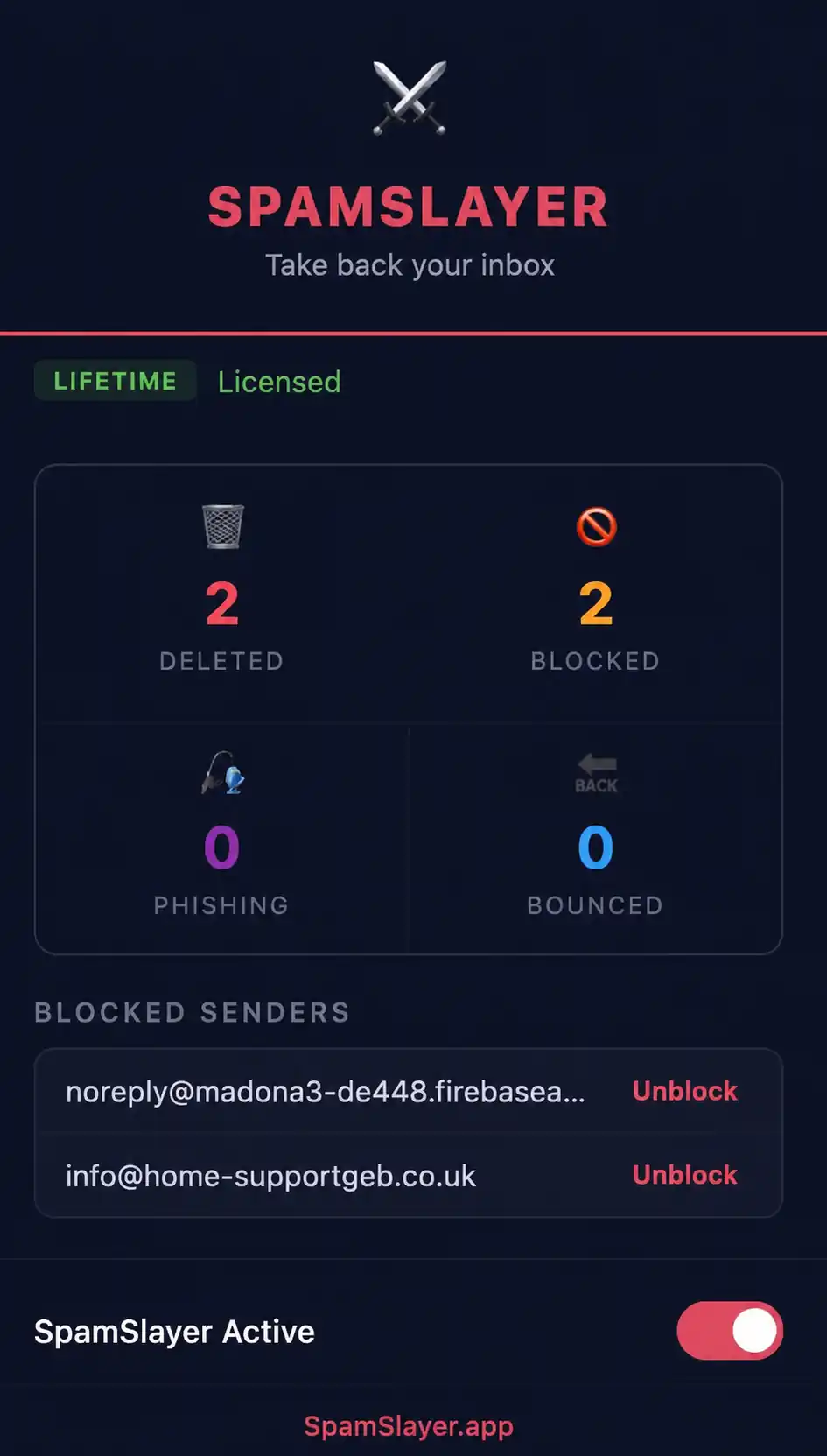
SpamSlayer is a Chrome and Firefox extension that kills spam at the source. Not one email at a time. The whole domain. One click. Done.

SpamSlayer browser extension blocking spam domains

Every morning. Same thing.

You open your inbox. Forty, fifty, sometimes sixty emails. None of them real.

Pharmacy spam. Fake order confirmations. Random domains you've never heard of.

You block one address. They're back the next day with a different one. Same domain. Different name. Same rubbish.

Microsoft's filter catches some of it. Not enough. Never enough.

You end up spending twenty minutes every morning just clearing the noise before you can get to what actually matters.

There's a better way.

I got tired of fighting it. So I built something that actually works.

I'm Ian. I've been on the same Hotmail account for years.

For a long time, the spam was unmanageable. I tried everything Microsoft offered. Nothing made a real dent.

So I built SpamSlayer.

It works differently to anything else out there. Instead of blocking individual email addresses, SpamSlayer blocks the entire sending domain. One click and every email from that source is gone. For good.

It installs in seconds, works quietly in the background, and starts cleaning your inbox from the moment you use it.

I use it on my own account every day. It changed everything.

Simple. Fast. Permanent.

1

Install

Install SpamSlayer from the Chrome or Firefox extension store. Takes about sixty seconds.

2

Spot Spam

Open a spam email in Outlook or Hotmail on your browser.

3

Slay It

Click the SpamSlayer button. The entire sending domain is blocked. That sender can never reach you again.

No settings to configure. No rules to write. No technical knowledge needed.

What SpamSlayer does that Outlook can't

Blocks entire spam domains, not just single addresses

Works directly inside Outlook and Hotmail on Chrome and Firefox

One click operation, no technical setup required

Permanent blocks that survive email address changes

Lightweight, runs quietly in the background

Built by someone who had the same problem you have

One tool. Three ways to own it.

No upsells. No hidden fees. Pick what works for you.

Monthly
$4.99

per month

Most flexible. Cancel any time, no questions asked.

Get SpamSlayer Monthly
Lifetime
$97

one-time payment

Pay once. Own it forever. No renewals. No future charges. Ever.

Get SpamSlayer Lifetime

All plans include full access to SpamSlayer on Chrome and Firefox.
One licence covers one browser installation.

Questions people ask before they install it

SpamSlayer works with Hotmail and Outlook accounts accessed through a web browser. It currently supports Chrome and Firefox.
Not yet. SpamSlayer is a browser extension and currently works on desktop Chrome and Firefox only.
Any future emails from that domain go straight to your blocked list. They won't appear in your inbox or spam folder.
Yes. You can manage and remove blocked domains at any time from the SpamSlayer extension.
SpamSlayer does not read, store or transmit your email content. It only processes the sender domain when you click the block button.
All plans give you exactly the same features. The only difference is how you pay. Monthly is flexible, yearly saves you money, lifetime means you pay once and never think about it again.
If you can install an app on your phone, you can install SpamSlayer. It takes about sixty seconds and there's nothing to configure.
Get in touch. If SpamSlayer isn't doing what it promises on your Outlook or Hotmail account, I want to know about it and I'll make it right.

Your inbox should work for you. Not against you.

Spam isn't going away. The senders get smarter, the domains change, and the filters keep falling behind.

SpamSlayer doesn't try to outsmart them. It just blocks them. Permanently.

Twenty minutes back every morning adds up to a lot over a year.

Get SpamSlayer Today